mirror of
https://github.com/jamiemcg/Remarkable.git
synced 2026-04-15 06:50:09 +02:00
Remarkable - The Markdown Editor for Linux http://remarkableapp.github.io
- Python 98.9%
- Shell 1.1%
| aur/remarkable | ||
| bin | ||
| data | ||
| debian | ||
| pdfkit | ||
| remarkable | ||
| remarkable_lib | ||
| .gitignore | ||
| glade.sh | ||
| LICENSE | ||
| md5sum | ||
| README.md | ||
| remarkable.desktop | ||
| run.sh | ||
| snapcraft.yaml | ||

Remarkable
A Fully Featured Markdown Editor for Linux
Remarkable is an open source Markdown Editor for Linux. You can download the latest version from the project site. It is also available on the AUR.
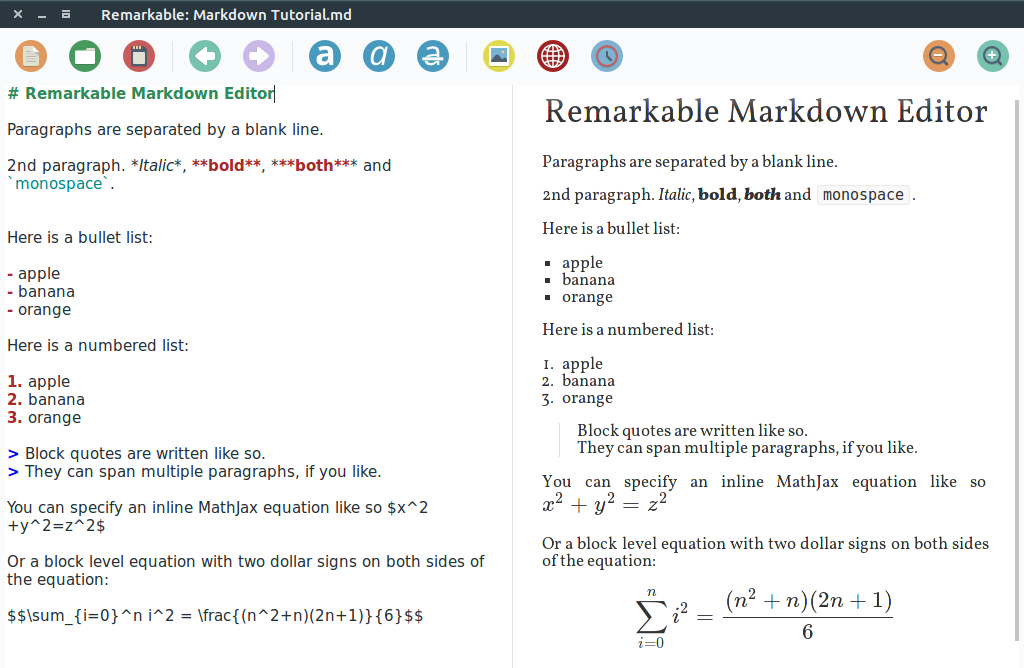
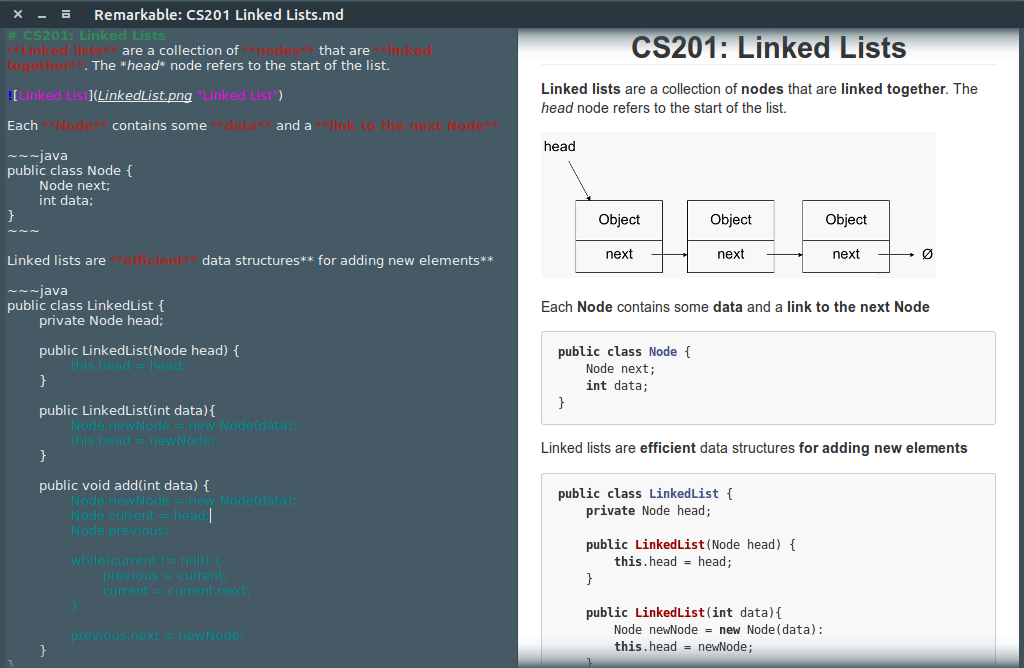
Features
Remarkable has many features including:
- Live Preview with Synchronized Scrolling
- Syntax Highlighting
- GitHub Flavored Markdown Support
- HTML and PDF Export
- MathJax Support
- Dialogs for adding images, links and tables
- Styles
- Custom CSS Support
- Keyboard Shortcuts
Check out the homepage for more details and screenshots.
Dependencies
!!!TODO!!!
Keyboard Shortcuts
| Action | Key |
|---|---|
| Bold | Ctrl+B |
| Copy | Ctrl+C |
| Cut | Ctrl+X |
| Export HTML | Ctrl+Shift+E |
| Export PDF | Ctrl+E |
| Find | Ctrl+F |
| Fullscreen | F11 |
| Heading 1 | Ctrl+1 |
| Heading 2 | Ctrl+2 |
| Heading 3 | Ctrl+3 |
| Heading 4 | Ctrl+4 |
| Highlight | Ctrl+Shift+H |
| Insert Horizontal Rule | Ctrl+H |
| Insert Image | Ctrl+Shift+I |
| Insert Link | Ctrl+L |
| Insert Table | Ctrl+Shift+T |
| Insert Timestamp | Ctrl+T |
| Italic | Ctrl+I |
| New File | Ctrl+N |
| Open File | Ctrl+O |
| Paste | Ctrl+V |
| Quit | Ctrl+Q |
| Redo | Ctrl+Shift+Z |
| Save File | Ctrl+S |
| Save File As | Ctrl+Shift+S |
| Strikethrough | Ctrl+D |
| Undo | Ctrl+Z |
| Zoom In | Ctrl+Plus |
| Zoom Out | Ctrl+Minus |